
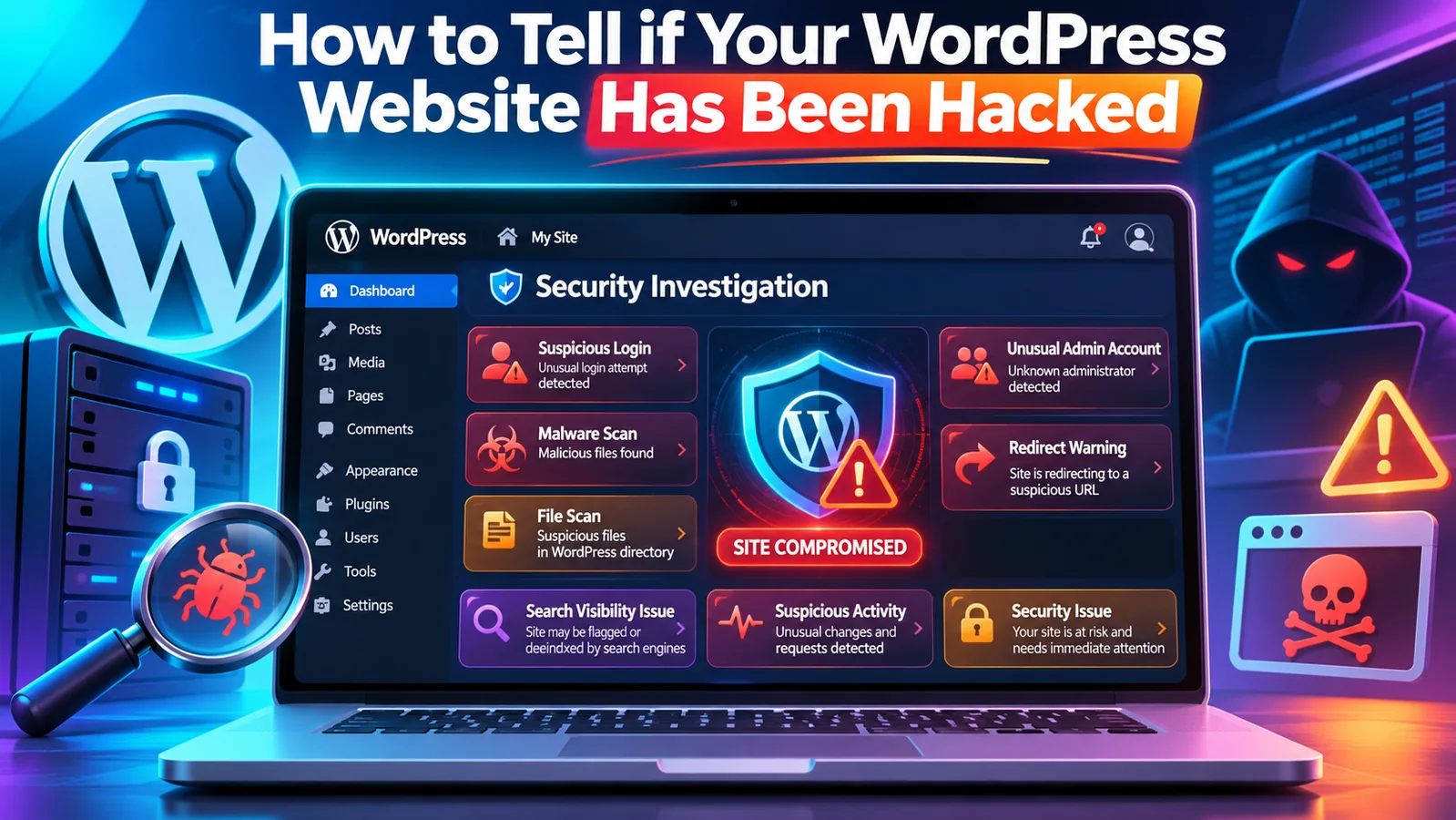
WordPress website hacked? It is not always obvious. Some compromised websites display unexpected adverts, suspicious redirects or completely different content. Others appear normal to the business owner while quietly serving spam pages to search engines or running unauthorised code behind the scenes.
For a business website, this creates a difficult situation. The site may still accept enquiries and display its usual pages, yet something could be interfering with its security, search visibility or customer experience.
A strange error does not automatically mean somebody has hacked your website. Plugin conflicts, failed updates and hosting problems can produce similar symptoms.
The important thing is to recognise the warning signs, preserve useful evidence and avoid making changes that complicate an investigation.
Here are nine signs worth checking if you suspect your WordPress website has been hacked.
1. Your Website Redirects Visitors Somewhere Unexpected
One of the more noticeable signs of a compromised WordPress website is an unexpected redirect.
A customer might open your homepage and end up on a gambling website, a suspicious shopping page or an unrelated domain.
Sometimes the behaviour happens only on mobile devices. In other cases, the redirect affects visitors arriving from Google but not people opening the site directly.
This makes the problem particularly confusing. You might check the website yourself, see nothing unusual and assume the customer made a mistake.
However, attackers can configure malicious redirects to behave differently depending on the visitor, device or request.
What should you check?
Ask the person who reported the issue for the original page address, destination URL, approximate time and device used.
If available, preserve screenshots and relevant security or server logs.
Do not repeatedly open suspicious destinations or ask customers to investigate them.
Also remember that redirects can result from configuration mistakes, caching rules or third-party scripts. An unexpected redirect is a warning sign, not proof of malware on its own.
2. Google Displays a Security Warning
A warning from Google can be a serious indication that something has gone wrong.
Visitors may see a browser warning about deceptive content, malware or an unsafe website.
If you manage the website through Google Search Console, the Security Issues report is an important place to investigate.
Google uses this report to alert verified site owners to certain detected security problems, including hacked content and potentially harmful behaviour.
A warning can damage customer confidence immediately. Someone trying to contact your business may abandon the visit rather than proceed through a security alert.
What should you do?
Check Google Search Console directly rather than relying on a link in an unexpected email.
Record the warning type and any affected URLs that Google identifies.
Then arrange an appropriate investigation. Removing the warning is not the first objective; identifying and resolving the underlying problem is.
A request for Google’s security review should follow a thorough cleanup and verification process.
3. Unfamiliar Pages Appear in Google Search
A WordPress website hacked for search spam may contain pages that the owner never created.
These pages sometimes promote unrelated products, unfamiliar brands or subjects that have nothing to do with the business.
For example, a local service company’s website might unexpectedly appear in Google results for foreign-language shopping terms.
The original homepage could remain unchanged, making the problem easy to overlook.
Attackers may generate spam URLs, alter existing content or deliver different material to search engines and ordinary visitors.
A simple initial check
Search Google using:
site:yourdomain.com
Replace yourdomain.com with your actual domain.
Look for unfamiliar page titles, irrelevant topics or suspicious URLs.
Remember that the site: operator does not provide a complete, guaranteed list of indexed pages. Use it as an initial clue rather than a definitive security scan.
Also inspect Google Search Console for unexpected changes in indexed pages, search queries or impressions.
Not every unfamiliar result indicates a hack. Old content, duplicate archives, indexing behaviour and legitimate user-generated pages can sometimes explain unusual search results.
4. Unknown Administrator Accounts Appear in WordPress
An unfamiliar WordPress administrator account deserves prompt investigation.
WordPress administrators can control important website settings, users, plugins and themes. An attacker with administrator access may be able to make changes that are difficult for the business owner to notice.
Possible warning signs include:
- An administrator account nobody recognises.
- A familiar account with an unexpected email address.
- An unexplained change to a user’s role.
- Security notifications about account changes that staff did not authorise.
What should you check?
If you can access the dashboard safely, review Users → All Users and identify the accounts with administrator privileges.
Compare them against staff, developers, hosting providers and any authorised external agencies.
Do not immediately delete every unfamiliar account. Some may belong to a legitimate service provider, and deleting an account can affect content ownership or destroy useful investigative information.
If an account appears unauthorised, preserve its details and arrange controlled access remediation.
Where compromise is suspected, account security needs to extend beyond WordPress to hosting, email, FTP or SFTP, and other credentials that may provide access.
5. Your Hosting Provider Reports Suspicious Files
Sometimes the first warning comes from the hosting company rather than the website itself.
A provider might report malware, suspicious scripts, excessive outgoing email or unusual server activity.
In more serious situations, hosting providers may restrict or suspend a website to limit potential harm.
These notices are worth investigating promptly.
However, suspicious activity does not always originate from a malicious WordPress plugin. The underlying issue could involve a compromised hosting account, another application sharing the environment or unauthorised access outside WordPress.
What information should you preserve?
Keep the original hosting notification and any file paths, timestamps or detection names included in it.
Ask the provider whether it has isolated the affected account and whether relevant logs and backups remain available.
Avoid deleting or replacing the flagged files before someone has assessed their role.
An unfamiliar PHP file can be malicious, but a filename alone does not establish its purpose.
6. Website Content Changes Without Permission
Attackers do not always replace an entire homepage.
They may quietly alter a small section, insert a link or add code that only executes under certain conditions.
For example, a page could contain new outgoing links hidden in the footer, content that nobody on the team approved or a script added through an unfamiliar plugin.
Changes may also appear in widgets, menus, posts or database records.
How can you investigate?
Compare the current content with an earlier trusted version where one is available.
Check WordPress revision history for affected posts or pages, and review legitimate recent changes made by staff or contractors.
Revision history may help explain ordinary editorial changes, but it cannot reliably identify every type of compromise.
If the website has already been altered by an attacker, some logs or records may also be incomplete.
A proper investigation may need access to WordPress files, database records, server logs and backups.
7. Your WordPress Website Becomes Unusually Slow
A sudden performance problem can sometimes accompany malicious activity.
Unwanted scripts may consume server resources. A compromised site might also experience unusual traffic, database activity or background processes.
However, a slow website is not enough to conclude that WordPress has been hacked.
Heavy plugins, oversized images, a poorly configured cache, database problems and server capacity limits are all common explanations.
What should you look for?
Pay attention to changes that occur alongside other warning signs.
For example, unexpected PHP activity combined with unknown administrator accounts would justify a more urgent security assessment than slow page loading alone.
Ask your hosting provider or technical specialist to review the relevant resource usage and logs.
Avoid installing several optimisation or security plugins in an attempt to fix the issue without understanding the cause.
Doing so can make troubleshooting more difficult.
8. Your Website Sends Spam or Behaves Strangely
Customers may report emails that appear to come from your website or business but contain suspicious messages.
A hosting provider might also detect unusual outgoing mail.
In some cases, compromised websites can support unauthorised email activity. However, email spoofing can occur without somebody gaining access to WordPress.
The distinction matters.
An email that claims to come from your domain does not automatically prove that your website sent it.
Other unusual behaviour might include unexpected form submissions, changes to notification settings or unfamiliar scheduled activity.
What should you check?
Preserve the email headers and any relevant hosting alerts.
Review authorised email services, form settings and available mail logs.
If the investigation indicates unauthorised activity, the recovery may involve more than WordPress. The hosting account, mailbox credentials and DNS email authentication records could also require review.
9. Malware Warnings Keep Returning After a Cleanup
A particularly concerning symptom is a website that appears clean but develops the same problem again.
For example, suspicious redirects might disappear after a plugin update, only to return several days later.
This can happen when the original entry point remains available or the cleanup misses part of the compromise.
A malicious file might also be recreated by another unauthorised component, scheduled process or compromised account.
However, repeated warnings can have other explanations, including an incomplete security review or a provider detecting an issue that was never fully resolved.
Why repeated symptoms matter
Removing one suspicious file does not necessarily eliminate the cause.
A proper investigation may need to examine:
- The affected WordPress files and database.
- Installed plugins and themes.
- Administrator and hosting access.
- Unexpected scheduled processes.
- File changes and available server logs.
- The state and reliability of available backups.
The objective is to identify what happened, contain the problem and reduce the likelihood of the same issue returning.
WordPress Website Hacked? Five Safe First Steps
If several warning signs appear, the next actions matter.
Step 1: Document What You Have Seen
Record the date and time, affected pages, unusual behaviour and any security notifications.
Include screenshots where appropriate.
WordPress’s own hacked-site guidance recommends documenting the symptoms and relevant recent changes before proceeding with recovery.
This creates a useful starting point for investigating the incident.
Step 2: Contact Your Hosting Provider
Explain the symptoms and ask whether the provider has detected unusual activity.
Depending on the situation, it may be necessary to restrict access or isolate affected services to protect visitors and business data.
Coordinate containment with the provider or specialist. Avoid making changes that destroy logs or prevent investigators from understanding the incident.
Step 3: Preserve a Secure Copy for Investigation
Where feasible and authorised, preserve relevant files, databases, logs and configuration details before cleanup.
Treat any copy from a potentially compromised website as untrusted.
Store it securely with restricted access and do not use it as a clean restoration point without verification.
A fresh backup of the affected site can preserve evidence, but it may also contain the compromise.
Step 4: Review Accounts and Credentials
Identify who has access to WordPress, hosting, email and related services.
Arrange password resets, session revocation and access-token changes through trusted devices and secure channels where appropriate.
The correct sequence depends on the incident. A specialist may need to preserve evidence and secure the environment before making account changes.
Step 5: Arrange Technical Investigation
If the evidence suggests compromise, arrange a structured review rather than relying on a single scanner result.
A security plugin can provide useful information, but a clean scan does not guarantee that every file, database record or external account is trustworthy.
If the website processes customer information or payments, assess whether additional containment, provider notifications or data-protection obligations apply.
What Should You Avoid Doing?
A suspected hack can create pressure to fix the site immediately.
However, several common reactions can make matters worse.
Do not delete every unfamiliar file. Some files may be legitimate, while others may be important to understanding the incident.
Do not restore an old backup without checking it. A backup might contain the same malware or an unresolved vulnerability.
Do not assume updating plugins removes an infection. Updates may close known weaknesses but cannot confirm that an attacker has left the environment.
Do not ignore a warning because the homepage looks normal. Some compromises affect particular visitors or URLs.
Do not send administrator passwords through ordinary enquiry forms or unsecured email. Use an agreed secure method for providing temporary access when it becomes necessary.
Do not request a Google security review before completing remediation. The warning can return if the underlying problem remains.
Taking a controlled approach may involve more work initially, but it helps avoid repeated failures and lost evidence.
Does a WordPress Hack Affect Google Rankings?
A compromised website can affect search visibility.
Google may identify harmful content, display warnings or detect unauthorised pages that should not exist.
Customers may also stop visiting when they encounter suspicious redirects or browser security alerts.
However, a ranking decline by itself does not prove that a website has been hacked.
Search visibility changes for many reasons, including ordinary ranking fluctuations, technical indexing problems and changes to website content.
If you suspect a security incident, review Google Search Console’s Security Issues, Page Indexing and Search results performance reports.
Look for unexpected page patterns, new search topics or warnings that coincide with other evidence.
After cleanup, a website may also need technical SEO checks to verify that legitimate pages still have correct canonical tags, status codes, internal links and indexing settings.
Where Google has issued a security warning, follow its process for requesting a review once the underlying issue has been resolved.
When Should You Get Professional WordPress Help?
Some website problems are routine. Others involve enough uncertainty or risk that a professional investigation is the sensible option.
Consider specialist assistance when:
- Google or your hosting provider reports malware.
- Customers encounter suspicious redirects.
- Unknown administrator accounts appear.
- Unauthorised files or pages keep returning.
- You cannot access WordPress or confirm the integrity of the installation.
- The website handles important enquiries, customer information or online payments.
A specialist should assess the symptoms, explain what can be investigated and agree on the scope before making significant changes.
The work may involve WordPress, hosting configuration, PHP, database records, access controls and search indexing rather than one plugin.
For general technical problems, Proactive Marketing Solutions offers Website Support Thailand, including help with existing WordPress installations.
Our Website Security service covers preventive security measures, while Website Recovery Thailand explains broader recovery planning.
Frequently Asked Questions
How do I know if my WordPress website has been hacked?
Look for unexpected redirects, unfamiliar administrator accounts, unauthorised page changes, suspicious Google results or security notifications. One symptom may have an innocent explanation, so confirm the cause through technical investigation.
Can a WordPress website be hacked without the owner knowing?
Yes. Some compromises affect selected visitors, generate hidden spam pages or operate through backend processes. The normal homepage may still appear unchanged.
Does a slow WordPress website mean it has malware?
Not necessarily. Slow performance often results from hosting, plugins, caching or database problems. Investigate malware when performance changes occur alongside other suspicious activity.
Will updating WordPress remove malware?
Not reliably. Updates can address known software vulnerabilities, but existing malicious files, database changes or compromised accounts may remain. Cleanup requires verification of the affected environment.
Can I restore a backup after a WordPress hack?
Potentially, but only after assessing whether the backup is trustworthy and identifying the original cause. Restoring an infected backup or leaving a compromised account active can lead to another incident.
Does Google Search Console detect every WordPress hack?
No. Its Security Issues report identifies certain problems that Google detects, but a report showing no issues does not guarantee that the website is secure.
Can a hacked WordPress website be repaired without rebuilding it?
Often, yes. The appropriate approach depends on the extent of the compromise, the integrity of the files and database, and the availability of reliable backups. Some incidents may require substantial reconstruction.
Should I delete a suspicious WordPress plugin immediately?
Not before understanding the situation. Isolating a clearly unauthorised component may be necessary, but deleting it without preserving evidence can make an incident harder to investigate.
Final Thoughts: Investigate Before You Repair
A WordPress website hacked by an attacker does not always look broken.
Sometimes the first signs are an unfamiliar search result, an unexpected administrator account or a report from a customer who sees something you cannot reproduce.
Those details matter.
Rather than deleting files at random or assuming that a security scan provides a complete answer, document the symptoms and establish what has actually changed.
Concerned that your WordPress website may have been compromised?
Proactive Marketing Solutions is based in Pattaya and provides technical website support for businesses across Thailand and remotely.
If your existing WordPress website is behaving unexpectedly, contact Proactive Marketing Solutions with the website address and a description of the symptoms.
We can discuss the appropriate investigation and next steps before any repair work begins.