
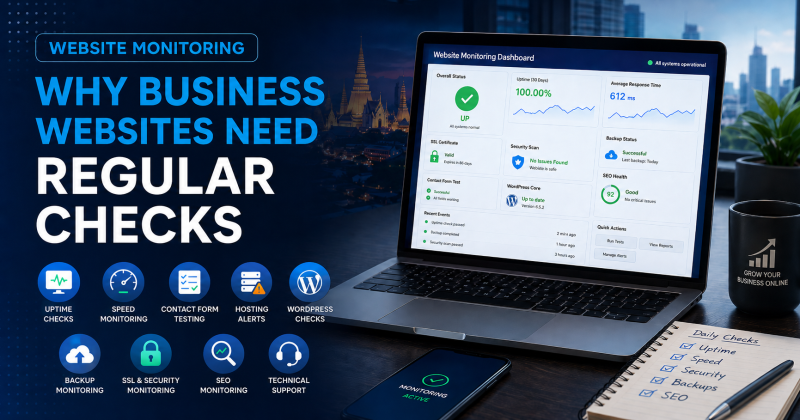
Website Monitoring Thailand is important for any business that relies on its website for enquiries, bookings, calls, sales, SEO, or customer trust. A website can look fine at first glance while hidden problems affect speed, uptime, forms, security, hosting, backups, or search visibility.
Many business owners only notice website problems after a customer complains. A contact form stops sending. The website goes offline. A page becomes slow. An SSL warning appears. A plugin update causes an error. In some cases, Google Search Console may show warnings before the business realises anything has changed.
For that reason, website monitoring should form part of normal website care.
At Proactive Marketing Solutions, we provide website monitoring in Thailand as part of our wider website management, hosting, WordPress maintenance, website security, backups, SEO, and technical support services. Our support can include uptime checks, speed reviews, form testing, hosting checks, backup reviews, Search Console checks, security awareness, and ongoing website management.
For businesses that need broader help, our Website Support Thailand service brings website monitoring, hosting, website management, WordPress maintenance, backups, security checks, SEO, server support, and technical troubleshooting together in one place.
Why Website Monitoring Thailand Matters
A business website should not be treated as something you launch and forget. Once the site is live, it needs regular checks to make sure it still works properly.
A monitored website gives the business a better chance of spotting problems early. As a result, small issues are less likely to affect enquiries, SEO, or customer trust.
Website monitoring can help identify:
- downtime
- slow pages
- broken forms
- SSL warnings
- hosting issues
- WordPress errors
- plugin problems
- security warnings
- backup gaps
- Search Console issues
- broken links
- missed enquiry problems
- poor mobile performance
In simple terms, monitoring helps you find website problems before customers find them for you.
A Website Can Be Broken Without Looking Broken
Some website issues are obvious. If the homepage will not load, the problem is clear.
However, many website problems are harder to spot. A form may look fine but fail to send emails. A page may load on desktop but struggle on mobile. A plugin may affect only one service page. A slow server may cause problems at certain times of day. A security warning may appear in Search Console before it appears to visitors.
Because of this, business owners should not rely only on quick visual checks.
A website needs practical monitoring across the areas that matter most: uptime, speed, forms, hosting, security, backups, SEO, and user experience.
Uptime Monitoring: Is the Website Online?
Uptime monitoring checks whether your website is available. If the site goes offline, the monitoring system can alert the person responsible for support.
This matters because a business website cannot generate enquiries if visitors cannot reach it.
Downtime can happen for several reasons, including hosting problems, DNS issues, server errors, expired services, failed updates, traffic spikes, or technical faults. Sometimes the website may return quickly. In other cases, it may stay offline until someone investigates.
Uptime monitoring helps reduce the risk of long unnoticed outages.
For business websites, this is especially important for:
- service enquiry websites
- ecommerce websites
- booking websites
- quote request pages
- lead generation landing pages
- SEO-focused websites
- hospitality websites
- real estate websites
- local business websites
Overall, uptime monitoring gives the business a clearer warning system when the website becomes unavailable.
Response Time Monitoring: Is the Website Slow?
A website may technically stay online but still respond slowly. This can frustrate users, especially on mobile.
Response time monitoring helps show whether the website is becoming slower over time. It can also highlight hosting problems, overloaded servers, plugin issues, caching problems, or heavy pages.
A slow website can affect:
- user trust
- enquiries
- mobile visitors
- SEO work
- paid advert performance
- repeat visits
- form submissions
- online sales
As a result, speed monitoring should sit alongside uptime checks. A website that is online but painfully slow still creates a poor user experience.
Form Monitoring: Are Enquiries Getting Through?
Contact forms are one of the most important parts of many business websites. However, they can fail quietly.
A form may still appear on the page while emails stop sending in the background. This can happen because of hosting mail limits, SMTP problems, spam filtering, plugin conflicts, form setting changes, DNS issues, or email provider changes.
For businesses that rely on online enquiries, this can be costly.
Regular form checks should include:
- testing contact forms
- checking quote request forms
- reviewing booking forms
- confirming email delivery
- checking spam folders
- reviewing form notification settings
- confirming the right people receive enquiries
- checking important landing page forms
More importantly, the business should know quickly if forms stop working. Missed enquiries are often harder to recover than technical errors.
SSL and HTTPS Monitoring
SSL helps visitors connect to a website securely. It also helps browsers show the site as secure.
If an SSL certificate expires or the website develops HTTPS issues, visitors may see warnings. This can reduce trust quickly, especially if the website handles enquiries, bookings, payments, or personal details.
SSL monitoring can help identify:
- expired SSL certificates
- HTTPS errors
- mixed-content issues
- redirect problems
- browser warnings
- insecure forms
- incorrect certificate setup
In practice, SSL checks are simple but important. A business website should not wait until a customer reports a browser warning.
Hosting Monitoring and Server Checks
Hosting affects uptime, speed, security, backups, email, SSL, and support response. Therefore, website monitoring should include hosting awareness.
Hosting problems can appear in different ways. The site may become slow, return server errors, fail during updates, stop sending emails, or go offline during traffic spikes.
A practical monitoring plan may include:
- server response checks
- uptime checks
- hosting performance reviews
- resource usage awareness
- disk space checks
- PHP version awareness
- database performance checks
- backup storage checks
- DNS and SSL reviews
- support ticket history
For many businesses, managed hosting works better than basic hosting because it gives the website a clearer support path when something goes wrong.
WordPress Monitoring and Maintenance Checks
Many business websites use WordPress. WordPress is flexible, but it needs regular attention.
WordPress monitoring can help identify outdated plugins, failed updates, theme issues, broken forms, performance problems, security warnings, and site errors.
A sensible WordPress monitoring routine may include:
- checking WordPress core status
- reviewing plugins
- reviewing themes
- testing important pages
- checking forms
- watching for update errors
- reviewing admin users
- checking backup status
- monitoring speed changes
- checking visible layout issues
In addition, WordPress checks should focus on business-critical areas. A small plugin issue may matter more if it affects the homepage, contact page, booking form, or main service pages.
Backup Monitoring: Are Backups Actually Working?
Backups only help if they exist, run correctly, and can support recovery.
Many businesses assume backups are working, but they never check. In some cases, backups fail because of storage limits, plugin errors, hosting changes, expired services, or poor setup.
Backup monitoring should answer clear questions:
- Are backups running?
- How often do they run?
- Where are backups stored?
- Does the backup include files and database content?
- How many restore points exist?
- Who can restore the website?
- Has anyone checked the recovery process?
- Are backups separate from the live server?
As a result, the business has a clearer recovery plan if something goes wrong.
Security Monitoring and Website Warnings
Website security monitoring does not mean living in fear of every alert. Instead, it means watching for practical warning signs.
Security-related checks may include:
- unusual redirects
- malware warnings
- spam pages
- strange admin users
- failed login patterns
- plugin vulnerabilities
- suspicious file changes
- form spam increases
- Search Console security warnings
- hosting malware alerts
Small business websites can still face automated attacks, spam, weak login attempts, malware, and plugin risks. Therefore, regular checks make sense even for smaller websites.
A monitored website gives the business a better chance of responding before the issue spreads.
Google Search Console Monitoring
Google Search Console is useful because it shows how Google sees parts of your website. It can highlight indexing issues, Core Web Vitals concerns, security issues, manual actions, page errors, sitemap problems, and search performance changes.
For business websites, regular Search Console checks can help spot problems such as:
- pages not indexed
- sitemap issues
- mobile usability concerns
- Core Web Vitals warnings
- security warnings
- manual action alerts
- sudden traffic drops
- crawl errors
- pages losing impressions
- important queries changing
However, data only helps if someone reviews it.
A monthly Search Console check can turn warnings into practical website improvements. In addition, it can help connect SEO, technical support, speed, content, and website management.
Google Search Console can help website owners review Core Web Vitals, indexing issues, security problems, manual actions, sitemap warnings, and search performance changes.
Core Web Vitals Monitoring
Core Web Vitals help measure page experience. They focus on loading speed, responsiveness, and visual stability.
In plain English, they help answer three simple questions:
- Does the main content load quickly?
- Does the page respond quickly when users interact?
- Does the layout stay stable while loading?
These checks matter because users notice when a website feels slow, delayed, or jumpy.
Core Web Vitals monitoring can help identify pages that need work. For example, a slow hero image may affect loading. Too much JavaScript may affect responsiveness. Images or banners without proper spacing may cause layout shifts.
Therefore, Core Web Vitals should form part of wider speed and SEO monitoring.
Broken Links and Page Errors
Broken links and page errors can hurt user experience. They can also make the website look neglected.
Common issues include:
- deleted pages
- changed URLs
- broken internal links
- missing images
- 404 errors
- failed redirects
- old blog links
- broken buttons
- outdated menu links
- missing files
These problems often appear after website changes, redesigns, plugin updates, content edits, or page removals.
Regular checks help keep the website clean and easier to use. They also help protect SEO by keeping important pages and internal links working properly.
Monitoring Website Changes Over Time
A website changes over time, even when nobody plans a major redesign. Plugins update. Hosting changes. New content gets added. Old pages age. Tracking scripts change. Forms get adjusted. Staff or suppliers may update settings.
Because of this, a website that worked well six months ago may need fresh checks today.
Monitoring helps track this ongoing change.
It can also help the business understand whether the website is becoming slower, less stable, harder to use, or less effective at generating enquiries.
Website Monitoring and SEO
Website monitoring supports SEO because it helps keep the technical base healthy.
SEO work depends on more than content. The website also needs to stay accessible, fast, secure, crawlable, stable, and easy to use.
Monitoring can support SEO by checking:
- Core Web Vitals
- page speed
- uptime
- broken links
- redirects
- Search Console warnings
- sitemap issues
- indexing problems
- mobile issues
- security warnings
- important landing pages
In short, SEO works better when the website itself remains healthy.
A well-monitored website gives SEO work a stronger foundation and reduces the chance that technical problems damage search performance unnoticed.
Monitoring Website Enquiry Paths
Website monitoring should not only look at technical checks. It should also consider the enquiry path.
A business website exists to help users take action. That may mean calling, filling out a form, booking a service, making a purchase, or requesting a quote.
Important enquiry-path checks include:
- contact page works
- phone numbers display correctly
- buttons lead to the right pages
- forms send properly
- thank-you pages load
- booking tools work
- maps and directions load
- mobile menus work
- enquiry pages load quickly
- tracking records key actions
As a result, monitoring stays connected to business outcomes rather than becoming a purely technical exercise.
Why One-Off Checks Are Not Enough
A one-off website check can be useful, but it cannot protect the website forever.
Websites change. Hosting changes. Plugins change. Search Console data changes. Core Web Vitals change. Forms can fail. SSL can expire. Backups can stop. New content can create broken links. In addition, a site may become slower as more tools and scripts get added.
Therefore, monitoring should happen regularly.
Ongoing checks help keep the website under control. They also give the business a better chance of spotting problems early, before users, customers, or Google find them first.
Website Monitoring Thailand for Business Websites
Businesses in Thailand often need practical website monitoring because many websites have been built by different suppliers, hosted in different places, or left without clear ongoing support.
Some business owners do not know who checks uptime. Others are unsure who manages backups, forms, plugins, hosting, Search Console, or technical warnings.
At Proactive Marketing Solutions, we are based in Pattaya and support businesses across Thailand and remotely. Our website monitoring support can help businesses keep track of uptime, speed, forms, hosting, backups, security, SEO, and WordPress performance.
This can help:
- service business websites
- real estate websites
- hospitality websites
- ecommerce websites
- local business websites
- WordPress websites
- SEO-focused websites
- company brochure websites
- websites built by previous designers
- businesses that need monthly website support
Overall, the goal is to keep the website visible, stable, useful, and ready to support real enquiries.
When Your Business Needs Website Monitoring
Your business may need website monitoring if nobody clearly checks the website after launch.
Common signs include:
- the website has gone offline before
- pages feel slow
- contact forms have failed
- you do not know if backups work
- Search Console has warnings
- plugins have not been reviewed
- hosting feels unreliable
- SSL warnings have appeared
- mobile pages feel poor
- SEO traffic has dropped
- customers have reported website issues
- nobody owns the technical checks
- you want one clear support contact
If several of these apply, regular website monitoring is a sensible next step.
Work With Proactive Marketing Solutions
Proactive Marketing Solutions provides website monitoring in Thailand for businesses that need practical checks, clear support, and ongoing website care.
Our support can include uptime checks, speed reviews, form testing, WordPress checks, hosting reviews, backup checks, security awareness, Search Console reviews, Core Web Vitals checks, SEO support, and technical troubleshooting.
In addition, our wider website support service can bring website monitoring, hosting, WordPress maintenance, website security, backups, speed optimisation, SEO, server checks, and website management together in one place.
If your website is live but nobody is clearly checking uptime, forms, speed, backups, hosting, and technical warnings, now is a good time to put a monitoring plan in place.
Contact Proactive Marketing Solutions to discuss website monitoring and ongoing website support for your business in Thailand.
Frequently Asked Questions
What is website monitoring?
Website monitoring means regularly checking a website for issues such as downtime, slow pages, broken forms, SSL warnings, hosting problems, security alerts, backup gaps, Search Console warnings, and performance issues.
Why does a business website need monitoring?
A business website needs monitoring because problems can happen without being obvious. Regular checks help spot issues early, protect enquiries, reduce downtime, support SEO, and keep the website easier to manage.
Does website monitoring include uptime checks?
Yes, uptime checks are an important part of website monitoring. They help confirm whether the website is available and can alert the support team if the site goes offline.
Can website monitoring check contact forms?
Yes, contact forms should be checked regularly because they can fail quietly. Form monitoring or regular testing helps confirm that enquiries still reach the right inbox.
Does website monitoring help with SEO?
Yes. Website monitoring supports SEO by checking speed, Core Web Vitals, Search Console warnings, broken links, uptime, security issues, indexing problems, and important landing pages.
What should a website monitoring plan include?
A practical website monitoring plan may include uptime checks, speed reviews, form testing, WordPress checks, backup checks, SSL reviews, hosting monitoring, security awareness, Search Console reviews, and SEO checks.
How often should a business website be checked?
Most business websites should receive at least monthly checks. Websites that rely heavily on enquiries, bookings, ecommerce, SEO, or paid advertising may need more frequent monitoring.
Do you provide website monitoring outside Pattaya?
Yes. Proactive Marketing Solutions is based in Pattaya, but we support businesses across Thailand and remote clients. We can help businesses in Pattaya, Bangkok, Phuket, Chiang Mai, Rayong, Hua Hin, and other locations.