
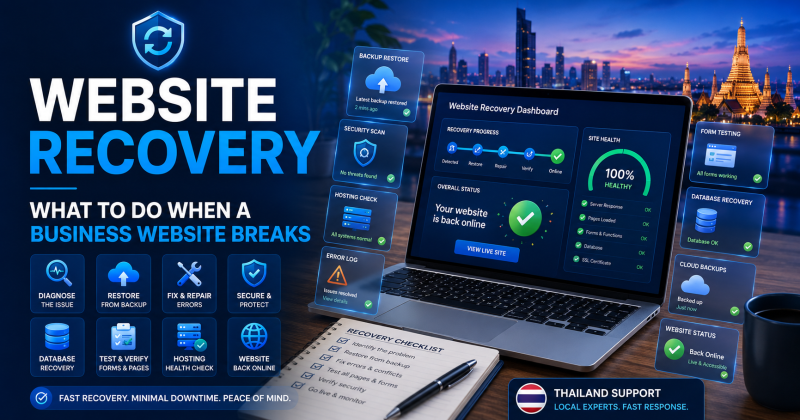
Website Recovery Thailand is important for any business that relies on its website for enquiries, bookings, sales, search visibility, or customer trust. When a website breaks, goes offline, shows errors, loses content, or becomes unsafe, the business needs a calm recovery process rather than rushed guesswork.
Many business owners only think about recovery after something has already gone wrong. A WordPress update fails. A plugin breaks the layout. A contact form stops sending. A hosting issue takes the site offline. In more serious cases, malware, spam pages, or damaged files can affect both users and Google visibility.
For that reason, website recovery should form part of ongoing website support.
At Proactive Marketing Solutions, we provide website recovery support in Thailand as part of our wider website management, hosting, WordPress maintenance, website security, backups, monitoring, technical SEO, and support services. Our work can include problem checks, backup reviews, restore planning, hosting checks, plugin conflict reviews, malware awareness, form testing, Search Console checks, and practical technical troubleshooting.
For businesses that need broader help, our Website Support Thailand service brings website recovery, backups, hosting, website management, WordPress maintenance, security, speed checks, monitoring, SEO, and technical support together in one place.
Why Website Recovery Thailand Matters
A broken website can affect a business quickly. If visitors cannot load the site, complete a form, view services, make a booking, or trust the page, enquiries can suffer.
Website recovery matters because problems do not always wait for a convenient time. A failed update may happen before a weekend. Hosting may go down during a campaign. A form may stop sending while paid adverts are running. A security issue may appear while Google is crawling the site.
A clear recovery process helps reduce stress. More importantly, it helps the business move from panic to action.
Website recovery can help with:
- broken WordPress websites
- failed plugin updates
- theme errors
- hosting outages
- database problems
- deleted pages
- damaged layouts
- failed contact forms
- malware concerns
- spam pages
- redirect problems
- SSL warnings
- lost files or images
- Search Console warnings
In simple terms, recovery planning gives the business a safer route back to a working website.
First Step: Do Not Keep Guessing
When a website breaks, the first instinct is often to click around and try quick fixes. However, random changes can make the problem worse.
Before changing settings, deleting plugins, restoring backups, or editing files, the issue needs a calm review.
Start with simple questions:
- What changed recently?
- Did a plugin, theme, or WordPress update run?
- Did the hosting company report an issue?
- Did someone edit a page or file?
- Is the problem on every page or only one section?
- Does the issue affect mobile, desktop, or both?
- Are contact forms still working?
- Is the website showing security warnings?
- Does the admin area still open?
- Are backups available?
These checks help narrow the problem. As a result, the recovery process becomes more controlled.
Check Whether the Website Is Fully Offline
Not every website problem is the same. Sometimes the whole website is offline. In other cases, only one page, form, plugin, or feature has failed.
A full outage may involve hosting, DNS, SSL, server errors, database issues, or expired services. A partial problem may involve a plugin conflict, broken page layout, missing image, failed form, or theme issue.
A first check should confirm:
- whether the homepage loads
- whether service pages load
- whether the admin area opens
- whether the issue affects all users
- whether the issue only appears on one device
- whether the hosting server responds
- whether DNS records still point correctly
- whether SSL is active
- whether the site returns error codes
This matters because each type of problem needs a different recovery path.
Check Hosting, DNS and SSL
Hosting, DNS, and SSL problems can make a website look broken even when the website files still exist.
For example, a website may go offline because the hosting account has resource problems. A domain may stop pointing to the right server. An SSL certificate may expire and create browser warnings. A DNS change may interrupt email or website access.
Practical checks may include:
- hosting account status
- server uptime
- disk space
- database availability
- PHP errors
- DNS records
- domain expiry
- SSL certificate status
- redirect settings
- email routing
- hosting support notices
If the issue sits with hosting or DNS, changing WordPress settings may not help. Therefore, recovery should start by confirming the technical foundation.
Failed WordPress Updates
WordPress updates are important, but they can sometimes cause problems. A plugin, theme, or WordPress core update may trigger layout errors, broken forms, admin errors, or a blank screen.
A failed update may happen because of plugin conflicts, outdated themes, PHP version issues, timeout errors, interrupted updates, or incompatible code.
The recovery process may involve:
- checking what updated recently
- reviewing error messages
- disabling the problem plugin safely
- restoring a clean backup if needed
- checking theme compatibility
- reviewing PHP version compatibility
- testing key pages after recovery
- confirming forms still work
- checking the admin area
In many cases, the goal is not simply to “undo” the update. The goal is to restore the website safely and understand what caused the failure.
Plugin Conflicts and Broken Layouts
Plugin conflicts are common on WordPress websites. Two plugins may not work well together. A plugin may conflict with the theme. A page builder update may affect layout. A security or caching plugin may block a feature.
Common signs include:
- broken page layouts
- missing sections
- forms not loading
- menus not opening
- sliders not working
- checkout errors
- admin warnings
- white screen errors
- slow loading after updates
- mobile display problems
A proper recovery check should identify the cause before making permanent changes. In some cases, the problem plugin can be rolled back, replaced, reconfigured, or removed. In other cases, the website may need a more careful maintenance plan.
Contact Form Recovery
A website can appear healthy while contact forms fail in the background. This is one of the most costly hidden problems for business websites.
Forms may fail because of plugin conflicts, SMTP issues, hosting mail limits, spam filtering, DNS changes, email provider changes, or wrong notification settings.
Form recovery should include:
- testing the form from the front end
- checking form notification settings
- checking spam folders
- reviewing SMTP settings
- confirming recipient email addresses
- checking hosting mail restrictions
- checking recent plugin changes
- testing thank-you pages
- confirming tracking where needed
For service businesses, recovery is not complete until enquiries reach the correct inbox again.
Recovering Deleted Pages or Content
Sometimes a website breaks because important content has been deleted, overwritten, or changed by mistake. This may involve service pages, blog posts, images, menus, forms, redirects, metadata, or layout sections.
Recovery may be possible through:
- WordPress revisions
- page builder history
- backup restoration
- database restore
- media library recovery
- cached copies
- exported content
- staging site copies
- manual rebuilding
However, the right method depends on what was lost and when the last good version existed.
For important service pages, recovery should also include SEO checks. Page titles, meta descriptions, internal links, schema, redirects, and tracking may need review after restoration.
Malware, Spam Pages and Hacked Websites
A hacked or infected website needs careful handling. The issue may involve malware, spam pages, malicious redirects, unknown admin users, suspicious files, injected links, or hidden code.
In this situation, recovery should not only remove visible symptoms. It should also address the weakness that allowed the problem.
A practical recovery process may include:
- taking a safe backup of the current state for investigation
- identifying affected files or pages
- checking unknown admin users
- reviewing plugins and themes
- removing suspicious files
- restoring from a clean backup where suitable
- updating passwords
- checking hosting access
- reviewing Search Console security warnings
- requesting review after cleanup if needed
Google’s security guidance explains that affected files can sometimes be replaced with the last good backup. However, that backup must come from before the problem started. If the backup already contains the infection, restoring it can bring the problem back.
Backups Are Central to Recovery
A good backup can turn a serious website problem into a manageable recovery job. Without a backup, the business may need manual repairs, rebuilds, database work, content rewriting, or emergency developer support.
WordPress guidance explains that a proper backup should include both website files and database content. It also recommends keeping several recent backups and storing copies in different locations.
A recovery-ready backup plan should answer:
- Do backups exist?
- How often do they run?
- Where are they stored?
- Do they include files and database content?
- How many restore points are available?
- Can the backup be restored quickly?
- Who has access to the backups?
- Is there a clean backup from before the issue?
- Has anyone tested restoration?
Backups only help if they work when the business needs them.
Do Not Restore the Wrong Backup
Restoring a backup can help, but the wrong backup can make things worse.
For example, if the backup is too old, the business may lose recent pages, forms, enquiries, products, blog posts, redirects, or SEO work. If the backup was taken after malware appeared, the restored website may still contain the problem. If the backup only includes files but not the database, the site may not return correctly.
Before restoring, the support team should consider:
- what problem needs fixing
- when the problem first appeared
- which backup is clean
- what content changed since that backup
- whether recent enquiries or orders may be lost
- whether files and database match
- whether staging recovery is safer
- how to test after restoration
In many cases, recovery should use the safest suitable backup, not simply the newest one.
Use a Staging Site Where Possible
A staging site is a private copy of the website used for testing. It can help with recovery because fixes can be reviewed before they affect the live website.
A staging recovery process may help when:
- the issue is complex
- the website has ecommerce features
- the site has many plugins
- malware cleanup needs testing
- a backup needs checking
- major updates caused problems
- the live website still partly works
- the business wants to avoid extra downtime
However, staging is not always available during emergencies. For that reason, businesses should consider staging as part of regular website management, not only after a failure.
Check the Website After Recovery
Restoring the website is not the final step. After recovery, the site needs checks to confirm that it works properly.
Post-recovery checks should include:
- homepage loading
- key service pages
- mobile layout
- contact forms
- booking forms
- payment or checkout functions
- menus and buttons
- SSL status
- redirects
- images and files
- admin access
- plugins and themes
- backups
- speed
- Search Console warnings
- tracking and analytics
This step matters because a website may appear restored while important features still fail.
SEO Checks After Website Recovery
Website recovery can affect SEO if URLs, redirects, metadata, content, internal links, sitemaps, schema, or indexing settings change.
After recovery, SEO checks should include:
- important pages still exist
- URLs have not changed by mistake
- redirects still work
- title tags and meta descriptions remain correct
- internal links still point to useful pages
- sitemap is correct
- pages are indexable
- canonical tags are sensible
- Search Console has no new major warnings
- tracking still records key actions
- no spam pages remain indexed
If the website had malware or spam pages, Search Console should also be reviewed for security issues. Google Search Console can show security problems and affected page examples, which helps guide cleanup and review.
Why Monitoring Helps Recovery
Website monitoring can reduce recovery time because it helps identify problems early. If a site goes offline, slows down, loses SSL, or starts showing errors, monitoring can alert the support team before customers complain.
Monitoring can help with:
- uptime checks
- response time checks
- SSL warnings
- form testing
- backup checks
- Search Console warnings
- security alerts
- hosting issues
- Core Web Vitals changes
As a result, recovery becomes less reactive. The business has a better chance of fixing issues before they affect many users.
Why One-Off Emergency Fixes Are Not Enough
Emergency fixes can solve urgent problems, but they do not always prevent the same issue happening again.
For example, a broken plugin can be disabled, but the website still needs a better update process. A hacked site can be cleaned, but the business still needs stronger security checks. A failed form can be repaired, but the website still needs regular form testing. A backup can be restored, but the business still needs backup monitoring.
Therefore, recovery should lead into prevention.
A proper support plan should review what happened, why it happened, and what needs changing to reduce future risk.
Website Recovery Support for Businesses in Thailand
Businesses in Thailand often need practical recovery support because websites may have been built by previous designers, hosted in different places, or left without a clear maintenance plan.
Some business owners do not know who controls their hosting. Others do not know whether backups work. In many cases, nobody clearly manages WordPress updates, security checks, Search Console, monitoring, or technical SEO.
At Proactive Marketing Solutions, we are based in Pattaya and support businesses across Thailand and remotely. Our website recovery support can help businesses understand the problem, restore the website where possible, and improve the setup after recovery.
This can help:
- service business websites
- real estate websites
- hospitality websites
- ecommerce websites
- local business websites
- WordPress websites
- SEO-focused websites
- company brochure websites
- websites built by previous designers
- businesses that need monthly website support
Overall, the goal is to restore the website properly and reduce the chance of the same problem returning.
When Your Business Needs Website Recovery Help
Your business may need website recovery help if the website has stopped working, lost content, or started showing warnings.
Common signs include:
- the website is offline
- pages show errors
- WordPress admin does not load
- contact forms have stopped sending
- a plugin update broke the site
- the layout looks damaged
- SSL warnings appear
- Search Console shows security issues
- malware or spam pages appear
- pages or images are missing
- hosting errors keep returning
- SEO traffic dropped after a technical issue
- the original website designer is unavailable
- nobody knows which backup to restore
If several of these apply, avoid random fixes and get the site checked properly.
Work With Proactive Marketing Solutions
Proactive Marketing Solutions provides website recovery support in Thailand for businesses that need practical help when a website breaks, goes offline, loses content, suffers from failed updates, or develops technical problems.
Our support can include problem checks, backup reviews, restore planning, hosting checks, WordPress troubleshooting, plugin conflict reviews, form testing, security awareness, Search Console checks, SEO reviews, and ongoing website management.
In addition, our wider website support service can bring website recovery, backups, hosting, WordPress maintenance, website security, speed optimisation, monitoring, technical SEO, server checks, and support together in one place.
If your business website is broken, unstable, or unsupported, now is the time to put a clear recovery plan in place.
Contact Proactive Marketing Solutions to discuss website recovery and ongoing website support for your business in Thailand.
Frequently Asked Questions
What is website recovery?
Website recovery is the process of restoring a broken, offline, damaged, hacked, or unstable website back to a working condition. It can include backup restoration, hosting checks, WordPress troubleshooting, plugin reviews, form testing, security checks, and SEO checks.
What should I do first if my website breaks?
Start by avoiding random changes. Check what changed recently, whether the site is fully offline or partly broken, whether hosting and SSL are working, and whether a recent backup exists. Then get the issue reviewed properly before making major changes.
Can a website be recovered from a backup?
Yes, a website can often be recovered from a backup if the backup is recent, complete, and clean. A useful backup should include both website files and database content, especially for WordPress websites.
What if my WordPress update broke the website?
If a WordPress update breaks the site, the cause may be a plugin conflict, theme issue, PHP compatibility problem, or interrupted update. Recovery may involve disabling the problem plugin, restoring a clean backup, checking errors, and testing key pages.
Can website recovery help after a hacked website?
Yes, website recovery can help after a hack by identifying affected files, removing suspicious content, restoring from a clean backup where suitable, changing passwords, reviewing users, updating plugins, and checking Search Console security warnings.
Does website recovery affect SEO?
Website recovery can affect SEO if URLs, redirects, metadata, content, sitemaps, canonicals, schema, or indexing settings change. After recovery, important pages and Search Console should be checked.
How can I prevent website problems from happening again?
You can reduce risk with regular backups, WordPress maintenance, hosting checks, security reviews, form testing, website monitoring, Search Console checks, and a clear support plan.
Do you provide website recovery support outside Pattaya?
Yes. Proactive Marketing Solutions is based in Pattaya, but we support businesses across Thailand and remote clients. We can help businesses in Pattaya, Bangkok, Phuket, Chiang Mai, Rayong, Hua Hin, and other locations.