Google Tag Manager Guide for Business Websites

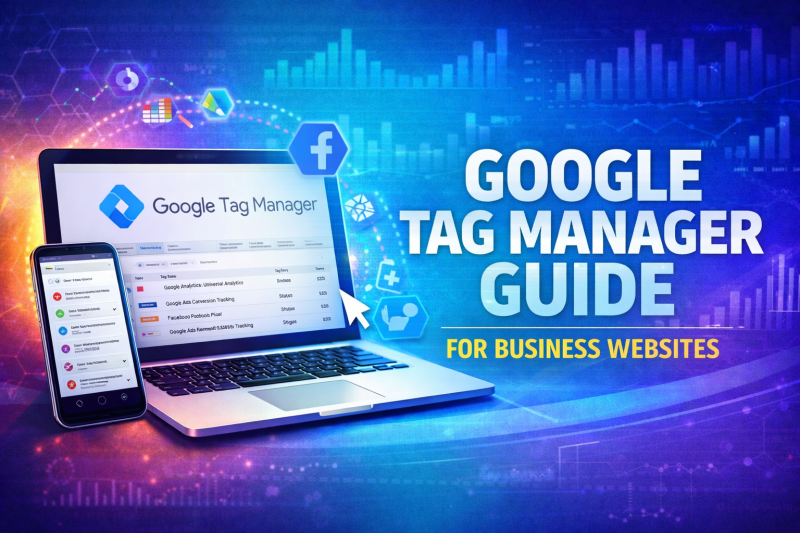
Google Tag Manager dashboard on laptop showing website tracking and marketing tag management for business websites

Table of Contents

This Google Tag Manager guide explains how businesses can manage website tracking, marketing pixels, and analytics tags without constantly editing their website code.

Many business websites rely on multiple tools to track performance, including Google Analytics, advertising platforms, and conversion tracking scripts. Google Tag Manager provides a structured way to manage these scripts efficiently while maintaining a clean and scalable website environment.

When implemented alongside professional web design in Pattaya and structured SEO services in Pattaya, Tag Manager helps businesses maintain accurate data tracking while reducing technical complexity.


What Google Tag Manager Does

Google Tag Manager (GTM) is a tag management system that allows businesses to add, update, and control tracking scripts on their website without manually editing the site’s source code.

Instead of inserting multiple scripts across pages, GTM acts as a central control panel for tracking technologies.

Businesses commonly use Tag Manager to manage:

• Google Analytics tracking
• Conversion tracking for forms and purchases
• Google Ads remarketing tags
• Facebook Pixel tracking
• Event tracking for user actions

This centralised structure improves website stability and reduces the risk of tracking errors.


Why This Google Tag Manager Guide Matters for Business Websites

This Google Tag Manager guide focuses on practical use rather than technical theory.

Without Tag Manager, businesses often rely on developers every time they need to update tracking scripts or marketing tags. This slows down campaign optimisation and increases the risk of errors.

With GTM properly configured, marketing teams can adjust tracking and implement new tags without disrupting the website itself.


How Google Tag Manager Supports Marketing and SEO

Tag Manager does not directly improve rankings, but it plays a critical role in data accuracy and marketing insights.

By managing tracking correctly, businesses gain reliable data for:

• Conversion tracking
• Campaign performance measurement
• User interaction monitoring
• Marketing attribution analysis

This information helps businesses refine SEO strategies, advertising campaigns, and user experience improvements.


Common Examples of Tag Manager in Action

Businesses use Tag Manager to track meaningful user interactions.

Examples include:

Tracking contact form submissions
Monitoring phone call button clicks
Measuring file downloads or brochure views
Tracking scroll depth on important pages
Monitoring video engagement

Without this level of event tracking, businesses often miss important signals about how visitors interact with their website.


Why Businesses Should Avoid Manual Tracking Scripts

Many websites accumulate multiple tracking scripts over time. These scripts can conflict with each other or slow down page performance.

Using Tag Manager helps solve this issue by centralising all scripts into one controlled environment.

This structured approach reduces errors, improves maintainability, and allows businesses to manage marketing technologies more efficiently.

It also supports ongoing optimisation efforts when paired with professional website management services.


Tag Manager and Website Performance

A common misconception is that Tag Manager slows websites down.

When implemented correctly, GTM actually improves performance management because scripts are loaded in a structured way rather than scattered across multiple pages.

Proper implementation ensures that tags load efficiently without interfering with page speed or user experience.


Do Businesses Need Professional Tag Manager Setup?

Basic installations of Tag Manager are simple, but effective configuration requires careful planning.

Professional setup ensures:

• Accurate event tracking
• Reliable conversion measurement
• Clean data collection
• Integration with advertising platforms

Without proper configuration, businesses risk collecting incomplete or misleading data.

This Google Tag Manager guide highlights why correct implementation is essential for meaningful performance insights.


Even a properly configured tracking setup can be affected by poor server performance. Fast and reliable web hosting Thailand infrastructure helps ensure scripts load correctly, tracking events fire consistently, and users experience faster page performance across desktop and mobile devices.


Google Tag Manager simplifies the way tracking is implemented across your website, but its real value comes from how it connects with other tools. When paired with Google Analytics tracking and Google Search Console insights, businesses in Pattaya can measure performance more accurately, track user actions more effectively, and identify clear opportunities for improvement. For a wider view of how these platforms support visibility, tracking, and growth together, read our Google tools for business growth in Pattaya guide.


Frequently Asked Questions

What is Google Tag Manager used for?

Google Tag Manager allows businesses to manage tracking scripts and marketing tags without manually editing website code.

Does Google Tag Manager affect SEO?

Tag Manager does not directly affect rankings, but it helps ensure accurate data tracking for SEO and marketing decisions.

Is Google Tag Manager difficult to use?

The interface is user-friendly, but proper configuration and event tracking usually require technical knowledge.

Do I still need Google Analytics if I use Tag Manager?

Yes. Tag Manager manages tracking scripts, while Google Analytics processes and reports the collected data.

Can Tag Manager track conversions?

Yes. Google Tag Manager can track form submissions, button clicks, purchases, and other user interactions on a website.


Improve Website Tracking and Marketing Insights

Accurate tracking is essential for understanding how visitors interact with your website and which marketing efforts generate real results.

If your website lacks structured tracking, your marketing decisions may rely on incomplete data.

Request a web design consultation

Need Help Improving Your Website or Marketing?

If you need practical support with rankings, website performance or online growth, explore our related services below.

Related Articles

Bright tech illustration showing WordPress maintenance in Thailand with plugin updates, backups, speed checks, security, hosting support, and website monitoring

WordPress Maintenance Thailand: Why Business Websites Need Regular Checks

After launch, a WordPress website still needs regular care. Your business should check updates, review plugins, confirm backups, watch security basics, test speed, and make sure the site continues to support real enquiries. Many companies only notice WordPress maintenance when something goes wrong. A form stops sending. A plugin breaks the layout. The website becomes slow. An update causes an

Read More »
Colourful tech illustration showing website management in Thailand with WordPress updates, hosting checks, SEO, backups, analytics, and technical support

Managed Web Hosting Thailand: Why Business Websites Need More Than Basic Hosting

A business website needs more than space on a server. It needs reliable hosting, regular checks, backups, security awareness, speed reviews, email support, and someone who can respond when technical issues appear. Many businesses only think about hosting when something goes wrong. The website becomes slow, emails stop working, the SSL certificate shows an error, or the site goes offline.

Read More »
Colourful tech illustration showing website management in Thailand with WordPress updates, hosting checks, SEO, backups, analytics, and technical support

Website Management Thailand: Why Ongoing Website Care Matters After Launch

Launching a website is an important step for any business, but it is not the end of the work. Once the website is live, it still needs updates, checks, content changes, hosting support, SEO improvements, backups, and regular maintenance. Without proper management, even a well-built website can slowly become outdated. Pages may stop matching your services, plugins can fall behind,

Read More »
Vibrant tech illustration showing website support in Thailand with hosting, SEO, WordPress maintenance, backups, analytics, security, and technical support

Website Support Thailand: What Businesses Should Expect from a Managed Website Partner

Running a business website should not mean chasing different people for hosting, updates, SEO, email issues, backups, speed problems, and small website changes. However, this is exactly what happens to many businesses. A website gets launched, everyone is happy, and then the real work begins. Plugins need updating. Hosting needs checking. Content needs changing. Google Search Console starts showing issues.

Read More »
Business website update checklist showing regular updates for content, security, performance, SEO, backups, and website maintenance.

How Often Should a Business Website Be Updated?

How often should a business website be updated? It is one of the most common questions business owners ask after launching a website. While many companies invest heavily in getting a website online, ongoing updates are often overlooked. The reality is that websites require regular attention to remain secure, effective, and competitive. Technology changes quickly. Customer expectations also shift, and

Read More »
Professional website management dashboard showing website monitoring, WordPress updates, security protection, automated backups, performance optimisation, uptime monitoring, and ongoing website maintenance services.

Professional Website Management: What Is Included?

Professional website management helps businesses keep their websites secure, updated, fast, and performing effectively over time. While many business owners focus on the initial website build, ongoing management is often what determines whether a website continues generating enquiries, ranking in Google, and providing a positive user experience. A modern website requires far more than occasional updates. Professional website management covers

Read More »
AdvertisingAlgorithmsbacklinksblack hat seoblogging for seoBusiness Website Hostingbusiness website hosting thailandBusiness Website Supportbusiness websitesCDN Thailandcontentcontent marketingcontent optimisationconversion rate optimisationconversion trackingdigital marketing fundamentalsdigital marketing Pattayadigital marketing strategydigital marketing thailandGoogleGoogle algorithm updatesgoogle algorithmsgoogle analyticsGoogle Business Profilegoogle business profile optimisationgoogle business profile pattayagoogle maps optimisationgoogle maps rankinggoogle maps seoGoogle ranking factorsGoogle rankingsGoogle Search Consolegoogle toolsgoogle updateshosting thailand businesseskeyword researchlink buildinglocal business pattayalocal business seolocal search visibilitylocal SEOlocal SEO Pattayalong tail keywordslong term seomanaged hostingManaged Web Hosting ThailandManaged Website Supportmanaged WordPress hostingmobile SEOon-page SEOonline visibilityorganic searchorganic seo strategypattaya businesspattaya business marketingpattaya web designprofessional web designprofessional website managementresponsive designresponsive web designresponsive website Pattayasearch engine optimisationSEOseo agency pattayaSEO basicsSEO best practicesseo content writingSEO PattayaSEO penaltiesseo ready websitesseo services pattayaSEO strategySEO ThailandSEO tipsSocial mediatechnical seoUser experienceuser experience designUser friendlyweb designweb design Pattayaweb designer pattayaweb development Pattayaweb hosting Pattayaweb hosting Thailandwebsite design pattayawebsite maintenancewebsite managementWebsite Management Thailandwebsite optimisationwebsite performancewebsite securitywebsite speedWebsite Support Thailandwebsite updateswebsite usabilitywebsite visibilitywhite hat seoWordPress hosting ThailandWordPress Maintenance ThailandWordPress PattayaWordPress Support ThailandWordPress updateswordpress web design pattaya

Ready to Improve Your Website Performance?

Whether you need better design, stronger SEO, or a faster WordPress setup, we build websites that support real business growth — not just visuals.